

 Log in
 Log in
MyRopo is a secure and convenient way to manage your invoices and payments. It brings everything into one place – from viewing open invoices to making payments, postponing due dates, and contacting customer service.
Whether you need to pay immediately, set up a payment plan, or simply check your invoice status, MyRopo gives you full control – anytime, anywhere.
Here is a quick guide to managing your invoices and payments in MyRopo.
Getting started: Logging in
First-time login: Your first login requires strong authentication (such as BankID or equivalent) to ensure the security of your information. This step confirms your identity and connects your invoices to your account.
When you log in with strong authentication, all invoices linked to your personal ID appear automatically in MyRopo. If some invoices do not show up, you can always access them using the MyRopo ID printed on your letter or invoice.
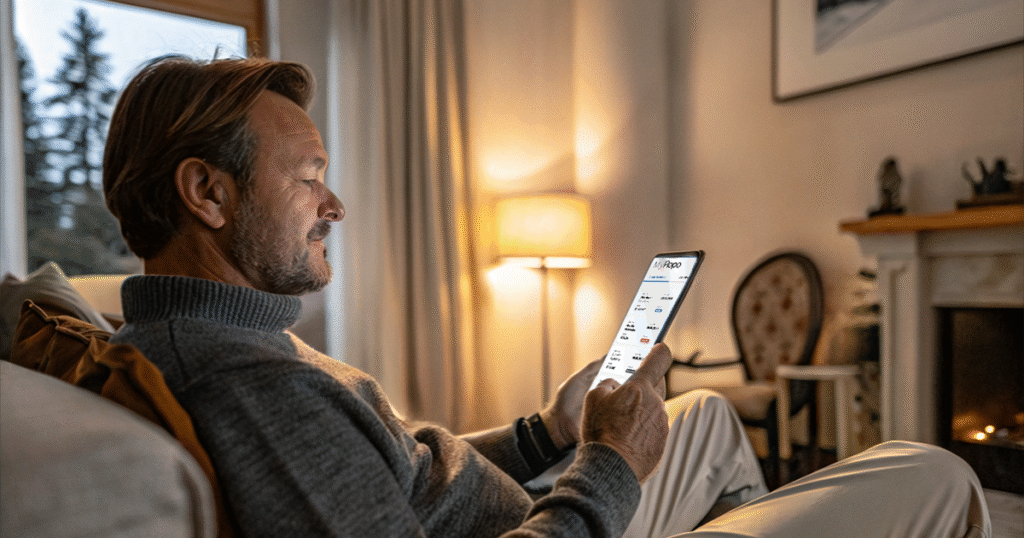
Returning visits: After your first login, accessing MyRopo is fast and simple. You can log in using:
- Your email address and a passkey, or
- A one-time verification code sent to your email.
Business users: If you are managing company invoices, you can log in with your BankID or, in some countries, via company login. You can also access specific invoices using the unique MyRopo ID shown on each invoice or letter.
What you can do in MyRopo
MyRopo gives you full visibility and control over your invoices. Here’s what you can do:
-
View your invoices
See your open and paid invoices managed by Ropo in one clear list, including status, due dates, and amounts. You can also access an archive of past invoices, reminders, and collection letters.
-
Pay instantly
Make payments directly through MyRopo via supported banks. You’ll receive immediate confirmation once the payment is complete.
-
Postpone due dates
If you need more time to pay, you can request to change the due date. MyRopo shows you available options and allows you to adjust the deadline based on your situation.
-
Set up a payment plan
Split your invoice into smaller, manageable payments. A payment plan divides the total amount into several installments with agreed due dates, giving you more flexibility.
-
Add your bank account details
Provide or update your bank account number to receive refunds or reimbursements for any overpayments.
-
Authorize someone else
Grant authorization to another person to manage a specific invoice on your behalf. This can be useful if you need help handling payment matters.
-
Contact customer service
Use the Message Center to reach our customer service team securely. You can send messages, start a chat, or get instant help from our AI assistant – which is available 24/7.
Getting help through the MyRopo Message Center
The MyRopo Message Center is your direct line to support. All communication is encrypted and securely stored, so you can share sensitive information safely.
How it works:
- Send a message:
Write your question or concern, and our team will respond during service hours. - Start a chat:
Get real-time assistance from our customer service team during business hours. - Use the AI assistant:
Available 24/7 for quick answers to common questions – even outside office hours.
The Message Center keeps all your conversations in one place, making it easy to track the status of your requests and follow up on previous messages.
Finding your invoices in MyRopo
When you log in with strong authentication, all invoices managed by Ropo and linked to your personal ID appear automatically on your home page.
If you cannot find a specific invoice:
- Use the MyRopo ID provided on your letter or invoice. Enter this ID in the search function to access the invoice directly.
- Search using invoice details such as the invoice number, reference number, or postal code.
The MyRopo ID is a unique identifier that ensures you can always access the correct invoice, even if it hasn’t been automatically listed under your personal ID.
Why use MyRopo?
MyRopo is designed to make managing invoices and payments as smooth and secure as possible. Here’s why it’s the best option:
-
Everything in one place: No need to search through emails or paper letters – all your invoices, letters, and payment options are in one secure portal.
-
Fast and convenient: Pay instantly, adjust due dates, or set up payment plans in just a few clicks.
-
Secure: Strong authentication and encrypted communication ensure that your information is protected.
-
24/7 access: Check your invoices, make payments, or get help whenever it suits you – day or night.
-
Transparent: See exactly what you owe, when it’s due, and what options are available.
Ready to get started?
Log in to MyRopo using the link for your country:
Managing your invoices and payments has never been easier. MyRopo puts you in control – securely, simply, and on your own schedule.

Read more
Services & features
Ropo One™ Reporting – Financial Reports for Daily Operations
Read more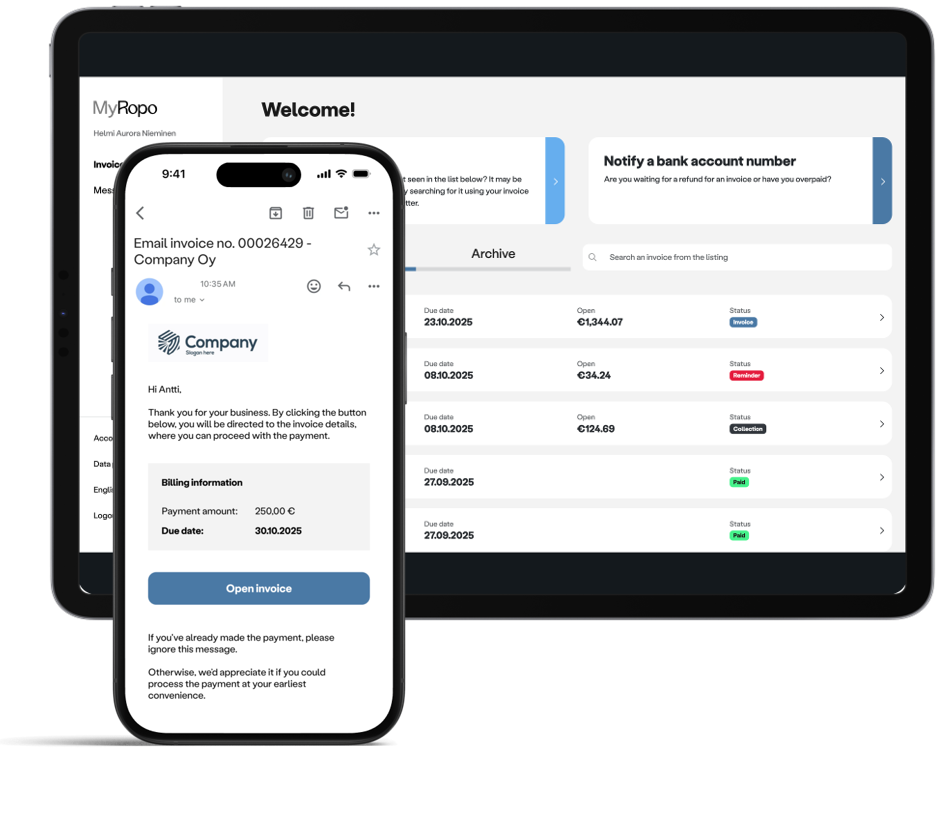
Services & features
MyRopo Invoice – For A Frictionless Payment Experience
Read more
Services & features
Ropo OneView™ – Real-Time Visibility for Smarter Financial Decisions
Read more
Client stories